Clover hardware
The lightest device in the lineup: a slim handheld with Wi-Fi and cellular that sends digital receipts by email or text. Built for people who are always on the move.
✓ Installed by our team and supported by phone. Rates and equipment are quoted to your business.
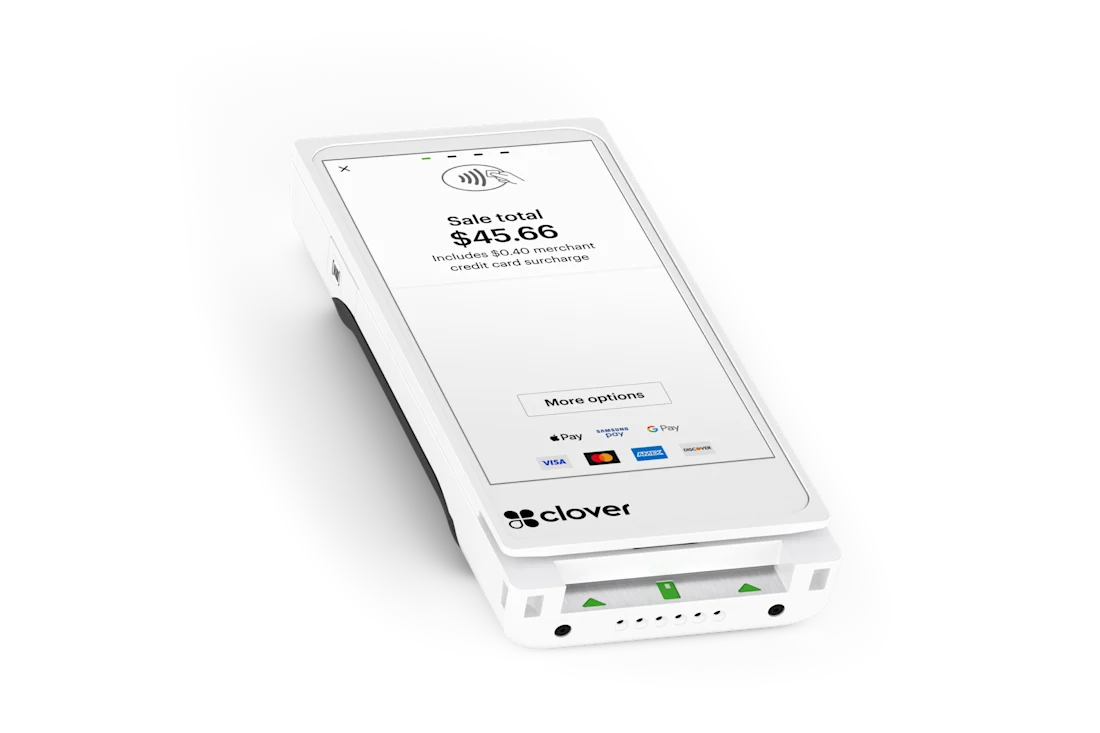
Merchant Fund Express offers the Clover Flex Pocket through our partnership. Our team handles delivery, installation and training, so it works the way your business does from day one.
The Flex Pocket suits owners and teams who sell away from a counter: markets, pop-ups, client meetings and routes where a printer is more weight than they need.
Set up in minutes and take every payment type from a stall.
Charge at the end of the job and email the receipt before you leave.
Walk the crowd, take payment, keep moving.
Keep one in a drawer in case a main terminal goes down.
If customers expect a paper receipt every time, choose the Flex. For a permanent counter, a Station or Mini is a better home.
A short call about your counter, kitchen or route, your volume and how your customers pay.
We price equipment and processing for your business. No published price list, no pressure.
Hardware arrives configured. Our team comes on site for network, menu, printers and training.
We stay on the line on launch day and after. Support is a phone call away.
| Feature | Detail |
|---|---|
| Form | Pocket-sized, lightweight handheld with a touchscreen; ask us to confirm the exact size |
| Printer | No built-in printer; digital receipts by email and text |
| Connectivity | Wi-Fi and cellular |
| Payments | NFC contactless, EMV chip and magnetic swipe |
| Power | Long-lasting battery |
| Software | Full Clover software |
| Accessories | Belt clip and case accessories |
Details are as listed for the device we install. We confirm the exact configuration, including anything marked to confirm, when we quote your setup.
The device goes on a belt clip or in a case at the start of the day and the employee logs in.
A vendor, technician or event staffer takes the order or enters an amount at the customer's side.
The customer taps, dips or swipes, and the receipt is sent by email or text rather than printed.
Sales appear on the account right away and the day is reconciled at the end of the shift.
With Wi-Fi and cellular on board, the Flex Pocket works in a stall, a field or a customer's kitchen without needing a venue network. If service drops, Clover can accept payments in an offline mode for a limited time and process them when the connection returns.
It accepts contactless tap, EMV chip and magnetic swipe, so the full range of cards and wallets works. Because there is no printer, the receipt is a digital one, sent to the customer's email or phone, which is often preferred and costs no paper.
The belt clip and case accessories are the main add-ons, and many owners pair a Pocket with a countertop Station or a Flex as a second device. We set up the receipt options so customers can enter an email or phone number at payment.
Against the Flex, the Flex Pocket gives up the printer and barcode scanner and gains size and weight. Against a Station, it is a mobile partner rather than a counter replacement; it often serves as a lightweight second or backup device.
Clover is built around end-to-end encryption and tokenization, designed to meet PCI DSS standards, so the sensitive part of every payment is handled for you. What stays with you is practical: keep staff on their own logins, never write a card number down and complete the yearly questionnaire.
Outages happen. For a limited time Clover can accept payments without a connection, hold them securely and process them automatically once service returns, and we plan a backup connection with you so offline mode is the exception and not the plan.
Timing depends on approval and your location: the DFW metro is usually 24 to 48 hours from approval to live, and the rest of the country is typically 5 to 7 business days.
A conversation about your counter, your busiest hour and your current processing sets the scope.
A personal quote comes first. When you say go, the application is submitted and underwritten for your type of business.
Your devices are programmed before they leave, and shipping is free.
Someone comes to you, connects the network and printers, enters your items with you in the room and walks your team through a practice transaction in English or Spanish.
We stay available through your first real service and afterward by phone, so a question on a busy night has an answer.
With Merchant Fund Express you deal with the people who set the system up. We come on site, train your team and stay reachable by phone, and our funding side is there if you later need capital or equipment financing.
Yes, by email or text. If you also want paper receipts, the Flex has a built-in printer.
At Merchant Fund Express, no. Equipment and processing are quoted to your business, because the right setup depends on how many stations you need, your sales volume and your card mix. Call (305) 384-8391 and we will put a personal quote together.
Our team handles delivery, setup, network configuration, menu or item programming and staff training, and stays available on launch day. Installation is done on site, and we will travel to you.
Yes. Send or read us a recent processing statement when you call and we will walk through what you are paying today and where a Clover setup could save you money.
By email or text. The customer enters an address or number at payment, and a digital receipt is sent immediately.
It runs the same Clover software as the larger devices, so the menu and the flow are the same; we train your team on site.
Yes. It shares the account, menu and reports with your counter devices.
Many owners keep one in a drawer in case a main terminal goes down, since it takes every payment type and sends digital receipts.
Call Merchant Fund Express. We install it, train your staff and stay on the line after launch. Ask for a free rate review while you are at it.
