Clover feature
From chip and swipe to contactless tap and mobile wallets, your Clover setup accepts the ways customers actually pay.
✓ Installed by our team and supported by phone. Rates and equipment are quoted to your business.
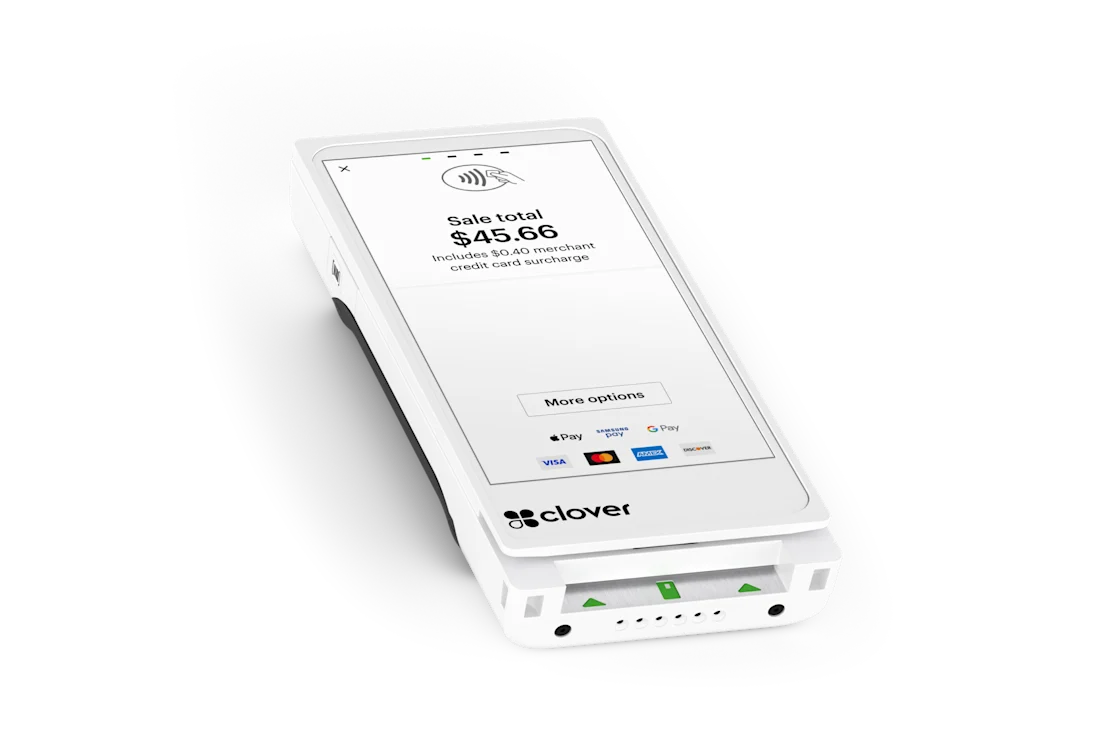
Merchant Fund Express configures this Clover capability with your devices, menu and team, so it is working from the first shift.
Tap-to-pay cards and phone wallets on supported devices keep checkout fast.
Standard card acceptance for every customer.
Take payment where the customer is with a Station, Flex or Flex Pocket.
Funds settle to your business bank account according to your processing agreement.
Payments are the heart of the system. We configure your account and hardware so the basics are smooth, then layer on the extras your business needs.
We learn how your business works and what you need this feature to do.
We set it up with your menu, items or services.
Your team gets hands-on training on site.
We stay available after launch.
Accepting payments is the heart of the system: whatever the customer carries, the device reads it, the payment is approved through the processor and the money is settled to your bank on a schedule. On Clover that covers chip, contactless tap including phone and watch wallets, magnetic swipe and PIN debit, with the tap rule depending on the device you choose.
Payments are not only the counter. A handheld takes them at a table or a car window, a virtual terminal takes them over the phone, an invoice with a payment link takes them from a customer who is away and online ordering takes them before the customer arrives. All of it lands in the same reports.
A card, phone or watch is presented at the device, or a link is opened on the customer's own phone.
The payment is encrypted and sent to the processor, and an approval or a decline comes back in seconds.
A paper, email or text receipt is issued with the tip and the tax itemized.
Approved payments are batched and deposited on the schedule your account sets.
Take chip, tap and swipe at a fixed station with tips on a customer-facing screen.
Take every payment type at the customer's side with a handheld and cellular.
Send an invoice link and let customers pay from their phone.
Key cards into a secure virtual terminal.
Payments on Clover are encrypted from the moment a card is read and tokenized so your own systems never hold usable card data, which is how the platform meets PCI DSS standards. Your part is simple habits: individual logins, no card numbers written down and the annual self-assessment on time.
If the internet drops, Clover can keep taking payments in an offline mode for a limited time. Transactions are stored securely and sent automatically when the connection returns, so a dropped link on a Saturday night becomes an inconvenience instead of a closed shop; ask us how offline limits apply to your account.
From approval to a live system, we plan on 24 to 48 hours in the DFW metro and 5 to 7 business days nationwide.
Tell us what a busy hour looks like, who is working it and what customers use to pay, and we shape the setup around that.
A personal quote comes first. When you say go, the application is submitted and underwritten for your type of business.
Hardware is staged with your settings and shipped at no charge.
An installer comes to you to place devices, program your menu, test every payment type and train the people who will use it.
You are not left alone on day one: support is a phone call away, with bilingual help available.
Payments sit under every other feature. Tips, invoices, gift cards and online orders all end in a payment, so the device you choose decides what you can do: a Station Duo, Flex or Flex Pocket for tap, a Station Solo where chip and swipe are enough, a handheld wherever the sale happens away from the counter. Pick the device for how customers pay, then layer the rest on it.
As explained by Merchant Fund Express. Updated 2026.
Chip, swipe and contactless tap on supported devices, plus mobile wallets where available.
Deposit timing depends on your processing account and bank. We will explain the schedule when we quote.
Clover devices accept EMV chip and magnetic swipe, and the Station Duo, Flex and Flex Pocket also accept contactless tap, including Apple Pay, Google Pay and Samsung Pay. The Station Solo takes chip and swipe only.
The device encrypts the card data, sends it to the processor for approval, and the approved payments are grouped into a batch that settles to your bank account. You see each sale in your reports as it happens.
Yes. Online ordering and invoices take payments online, and a virtual terminal takes them by phone, all recorded in the same account.
Equipment and processing are quoted to your business. Call (305) 384-8391 and we will walk through exactly what applies.
Call Merchant Fund Express. We install it, train your staff and stay on the line after launch. Ask for a free rate review while you are at it.
