Get a quote
We do not publish a price list because the right number depends on how you sell. Call and we will price the setup that fits.
✓ Installed by our team and supported by phone. Rates and equipment are quoted to your business.
Merchant Fund Express quotes Clover equipment and processing to your business. There is no published price list, just a quote built from how you actually sell.
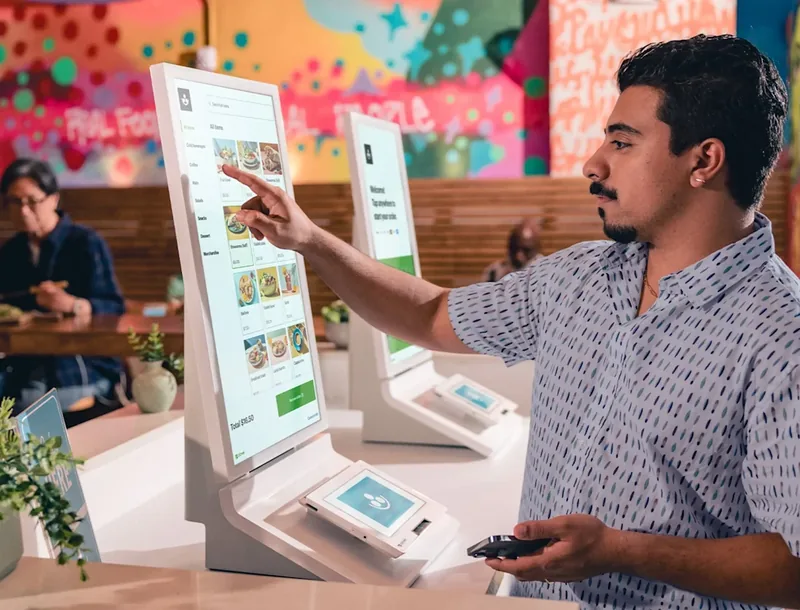
A quote for the Kiosk is built from the number of kiosks, floor or counter mounting, your menu complexity and how many orders flow through them. Your processing rate comes from your card mix and volume, not from a one-size-fits-all menu.
One Kiosk beside the counter taking orders and payment, feeding a kitchen display.
Two Kiosks placed where lines form, with a counter station for staff-assisted orders.
A countertop Kiosk for the lunch rush with a Solo or Duo for exceptions.
Most installations in the Dallas-Fort Worth area are completed within 24 to 48 hours of approval, and nationwide deployments typically go live within 5 to 7 business days.
You tell us how you sell: where the counter or route is, how many people work it and how customers pay.
You get a personal quote, and the account moves through underwriting once you decide to proceed.
Devices are set up with your account and options in advance, then sent to you with free shipping.
Our installer sets up the network, builds your menu or items, connects printers and trains your staff, in English or Spanish.
You are not left alone on day one: support is a phone call away, with bilingual help available.
A cafe with a lunch line out the door wants to move order entry to the customer. We quote one Kiosk beside the counter, a 14-inch display for the line, a counter station for staff-assisted orders and a modifier set designed for a touchscreen, with photos and upsell prompts built into the menu. The owner approves the screen flow on a test unit before the doors open, so the first customer meets a rehearsed experience.
Because a fair quote depends on your volume, card mix and setup. Publishing a number would not be honest for most businesses.
At Merchant Fund Express, yes. Read us a statement and we will walk through what you pay today.
It is strongly recommended so kiosk orders appear in the same queue as counter orders.
Yes. The kiosk supports gift cards along with EMV and contactless wallets.
You can, from your dashboard, and we help with the initial design.
Clover can accept payments in offline mode for a limited time and sends the stored transactions when the connection returns; ask us how the limits apply to your account.
Yes. English and Spanish support are available by phone, on site and during staff training, so the person who opens on Monday can learn it in the language they work in.
Call Merchant Fund Express. We install it, train your staff and stay on the line after launch. Ask for a free rate review while you are at it.
