Clover feature
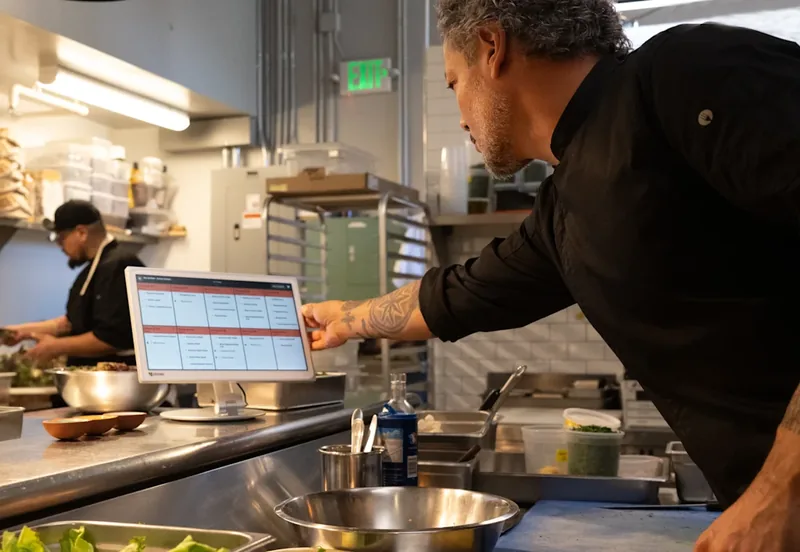
Send orders to a screen in your kitchen where they are color-coded, timed and bumped when ready.
✓ Installed by our team and supported by phone. Rates and equipment are quoted to your business.
Merchant Fund Express configures this Clover capability with your devices, menu and team, so it is working from the first shift.
Send items to the right cook automatically.
See which orders are waiting too long.
No smeared or missing paper.
All order sources land in one queue.
A display is one of the best upgrades for a kitchen. It saves paper and keeps the line calm when it is busy.
We learn how your business works and what you need this feature to do.
We set it up with your menu, items or services.
Your team gets hands-on training on site.
We stay available after launch.
A kitchen display system replaces paper tickets with a board that shows every open order in sequence, with colors for age and a bump when something is done. It sits at the line or the pass and shows orders from the register, handhelds, kiosks and online ordering.
The value is clarity: cooks see what to make next, expo sees what is complete and the owner sees how long tickets take. It is the quiet change that makes a busy kitchen feel calmer.
A ticket is sent from any ordering channel.
Each item goes to the station that makes it.
Timers change color as a ticket gets older.
Finished items are cleared and the next order rises.
Course timing and station routing.
Speed and order accuracy at the line.
A compact display replaces a stack of tickets.
Delivery orders from many brands in one queue.
From approval to a live system, we plan on 24 to 48 hours in the DFW metro and 5 to 7 business days nationwide.
A conversation about your counter, your busiest hour and your current processing sets the scope.
You get a personal quote, and the account moves through underwriting once you decide to proceed.
Devices are set up with your account and options in advance, then sent to you with free shipping.
Our installer sets up the network, builds your menu or items, connects printers and trains your staff, in English or Spanish.
You are not left alone on day one: support is a phone call away, with bilingual help available.
A kitchen display is the destination for every channel: counter, tableside, kiosk and online ordering all send orders to the same board. The more ways your guests can order, the more a single clear queue is worth.
As explained by Merchant Fund Express. Updated 2026.
Yes. Many kitchens keep one for backup or runner tickets.
The 24-inch suits larger kitchens and the 14-inch suits trucks and small lines.
It is a screen that shows kitchen orders as a live queue, with item-level routing, color-coded status and a bump when items are done.
Yes. Many kitchens keep one for runner tickets or as a backup.
A 24-inch display for large kitchens and a 14-inch display for compact ones.
Yes. Orders from every channel appear on the same board.
Call Merchant Fund Express. We install it, train your staff and stay on the line after launch. Ask for a free rate review while you are at it.
